The Ultimate Guide to IPTV HDMI Encoders: Pro Solutions for 2026
In the modern digital broadcasting era, the IPTV HDMI encoder has become an essential tool for anyone looking to bridge the gap between high-quality hardware video and IP-based distribution. Whether you’re running a business, a sports bar, or a custom home streaming lab, understanding how to leverage an HDMI encoder is the key to professional-grade results.
In this guide, we’ll explore what these devices do, why they are superior to software encoding, and how to choose the right one for your Apollo Group TV setup.
What is an IPTV HDMI Encoder?
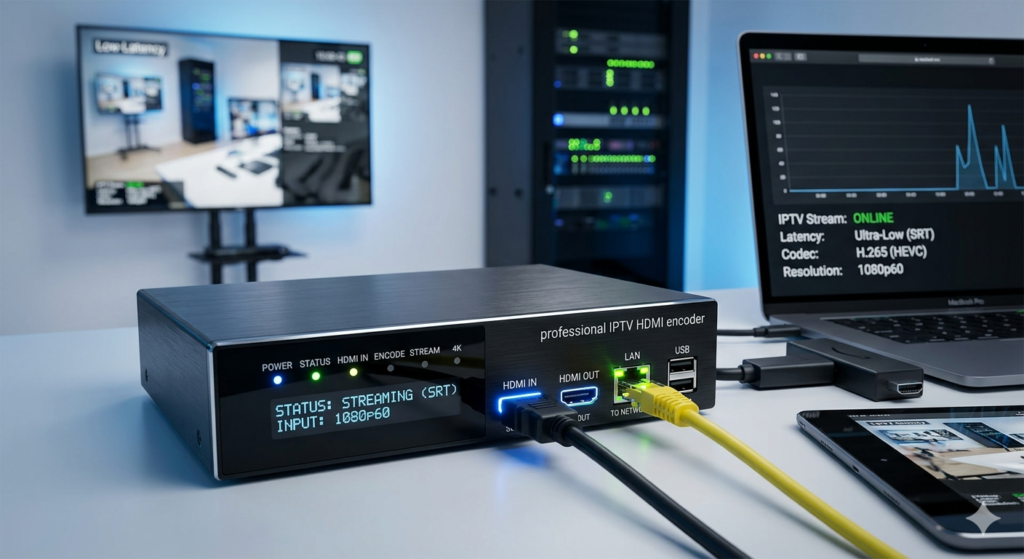
An IPTV HDMI encoder is a dedicated hardware appliance that converts a high-definition video signal from an HDMI source (like a satellite box, camera, or PC) into a compressed digital stream. This stream is then transmitted over a network using protocols such as SRT, RTMP, HTTP, or UDP.
Unlike a capture card that requires a PC to run, a hardware encoder is a “standalone” device. It is built for 24/7 reliability, ensuring that your stream never crashes due to an operating system update or CPU overload.
Why Use an IPTV HDMI Encoder?
If you are already using a premium service like Apollo Group TV, you know the value of high-quality streams. An HDMI encoder allows you to:
1. Distribute Content Locally
Bars, restaurants, and hotels use encoders to send a single HDMI source (like a premium sports channel) to hundreds of TVs across their local network using existing Ethernet cables.
2. Reduced Bandwidth with H.265 (HEVC)
Modern encoders support H.265. This codec allows you to maintain stunning 4K quality while using 50% less bandwidth than the older H.264 standard. This is vital for maintaining a buffer-free experience on your IPTV network.
3. Ultra-Low Latency
For live events, timing is everything. Professional encoders offer SRT (Secure Reliable Transport) protocol, which minimizes delay and prevents “spoilers” when watching live sports.
Key Features to Look for in 2026
When shopping for an IPTV HDMI encoder, don’t just buy the cheapest option. Look for these professional specs:
| Feature | Importance | Recommended Spec |
| Resolution | Critical | 4K @ 60fps |
| Video Codec | High | H.265 (HEVC) |
| Protocols | High | SRT, RTMP, HLS, UDP |
| Cooling | Essential | Active fan or Aluminum heat sink |
How to Set Up Your HDMI Encoder for Success
Setting up your IPTV HDMI encoder is straightforward if you follow these steps:
- Physical Connection: Plug your source (e.g., a 4K Media Box) into the HDMI Input of the encoder.
- Network Connection: Connect the encoder to your router via a Cat6 Ethernet cable.
- Access the Dashboard: Open your web browser and type in the encoder’s IP address.
- Configure the Stream: Select H.265 for the codec and SRT for the lowest latency.
- Test the Feed: Use VLC Media Player to open the network URL generated by your encoder.
Synergy with Apollo Group TV
While an IPTV HDMI encoder is perfect for distributing local hardware feeds, pairing it with a high-end service like Apollo Group TV gives you the best of both worlds.
By integrating your encoded local feeds (like home security or local broadcasts) into your IPTV middleware alongside our global channel list, you create a truly unified entertainment hub. Our servers are optimized to handle high-bitrate streams, ensuring that whether you are watching your own encoded content or our premium channels, the quality remains flawless.
Conclusion: Is an IPTV HDMI Encoder Worth It?
If you value stability, 4K quality, and low latency, then an IPTV HDMI encoder is a must-have investment. It transforms your traditional HDMI devices into powerful IP broadcasting stations.
Ready to take your streaming to the next level? Combine your professional hardware with the world’s most reliable IPTV service.