22,000+ live channels and 90,000+ movies, on Firestick, Smart TV, iPhone, Android, and every other device you own. Same EPG, same VOD library, same five simultaneous streams.
Compatible with

Version
4
Updated
May 2026
Downloads
100K+
Size
~48 MB
Rating
4.7 / 5
Age
Everyone
Why this app
If you’ve used a couple of IPTV apps before, you know they range from “barely works” to “clearly built in a weekend by one person.” The work that goes into making one that actually feels fast is invisible — until you switch to one that doesn’t.
Most IPTV guides take 30+ seconds on first open. Ours is pre-rendered server-side and cached on the device. After first launch, it’s instant.
When a stream has a problem, the app can switch to a backup source automatically instead of leaving you staring at a spinning wheel.
Your guide, favorites and channel organization stay familiar whether you’re watching on a TV, phone or another supported screen.
Movies and series are organized to make a large library easier to browse, search and continue watching across your devices.
On your phone
iPhone, iPad, Android — one codebase, same lineup, same login. Picture-in-picture, AirPlay, and Chromecast all supported.
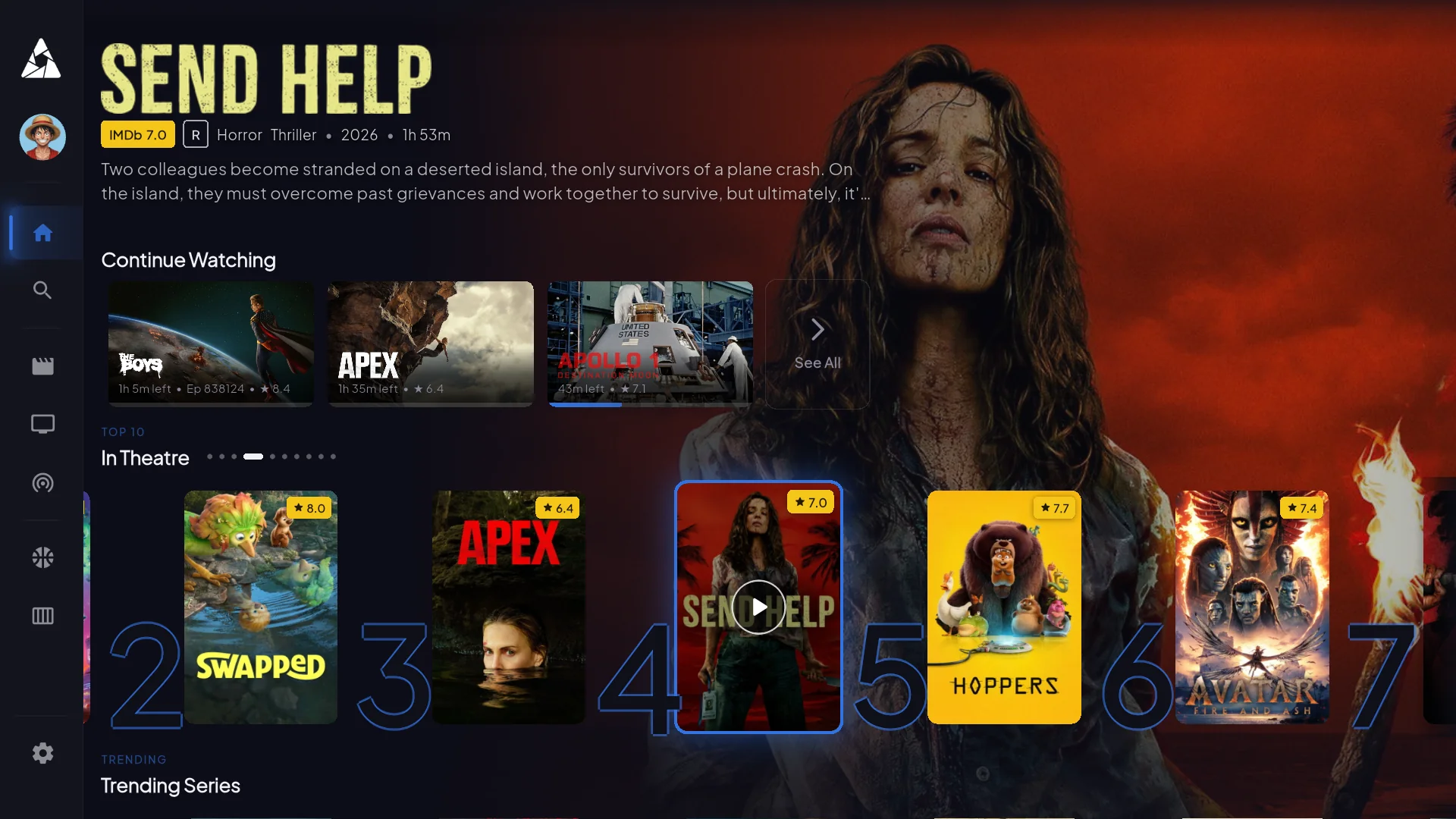
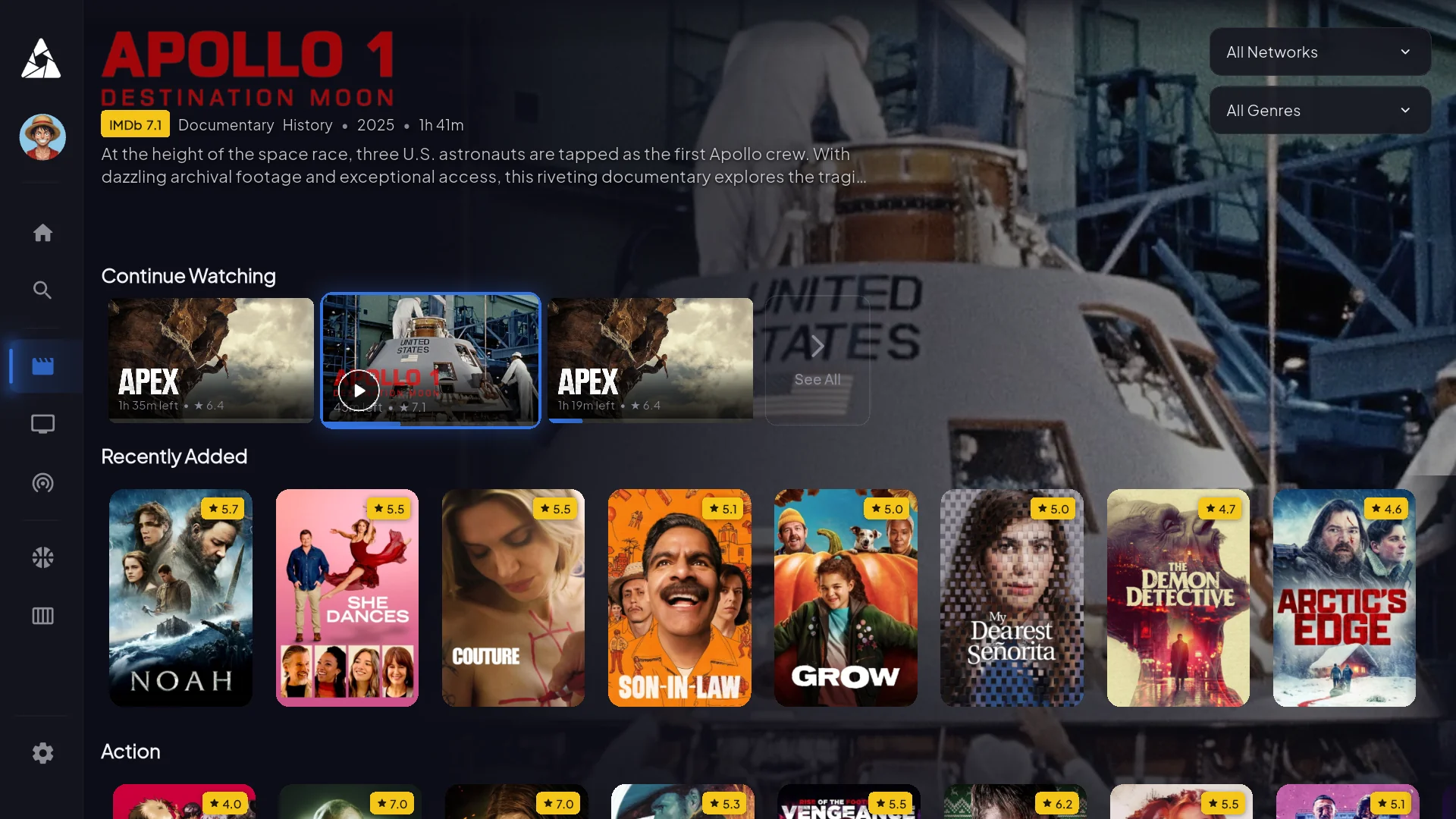
Inside the TV app
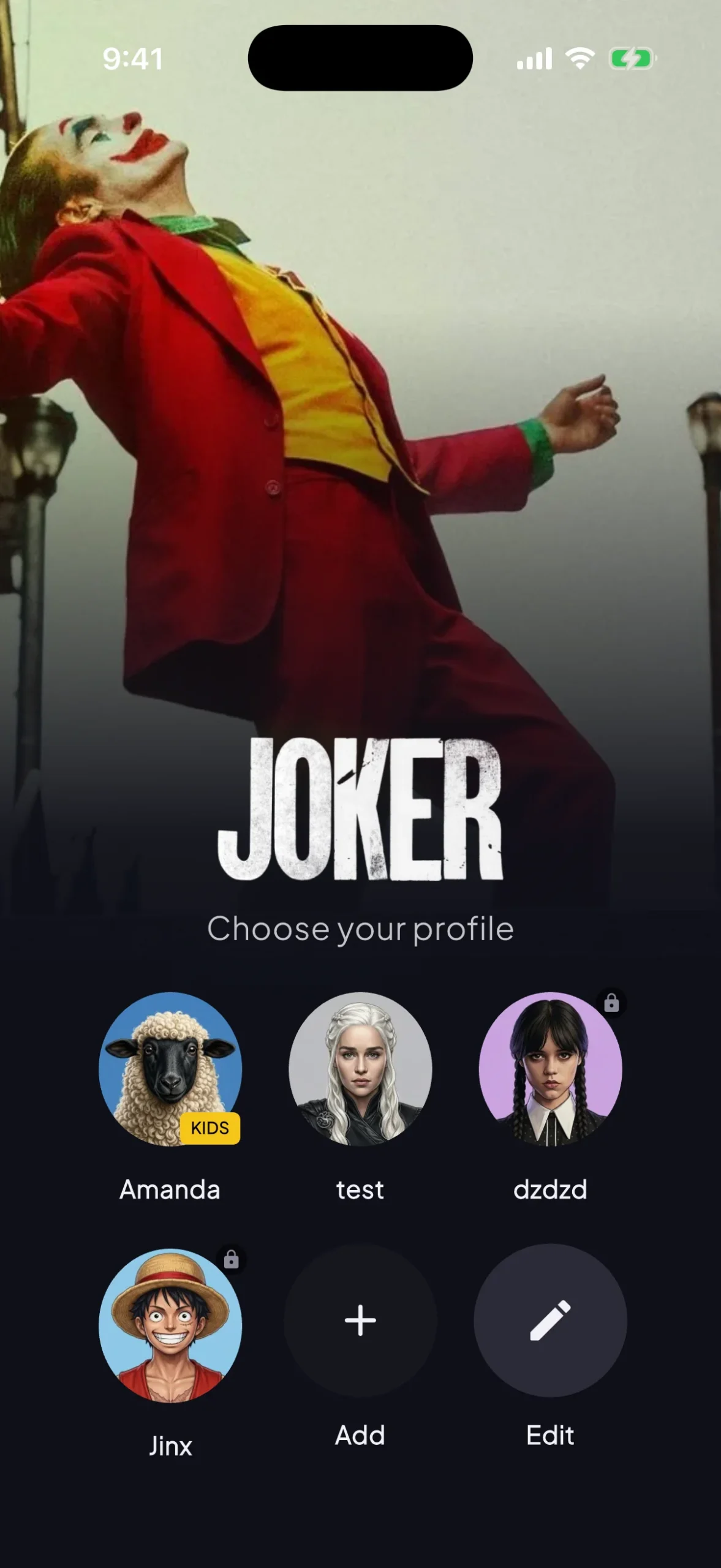
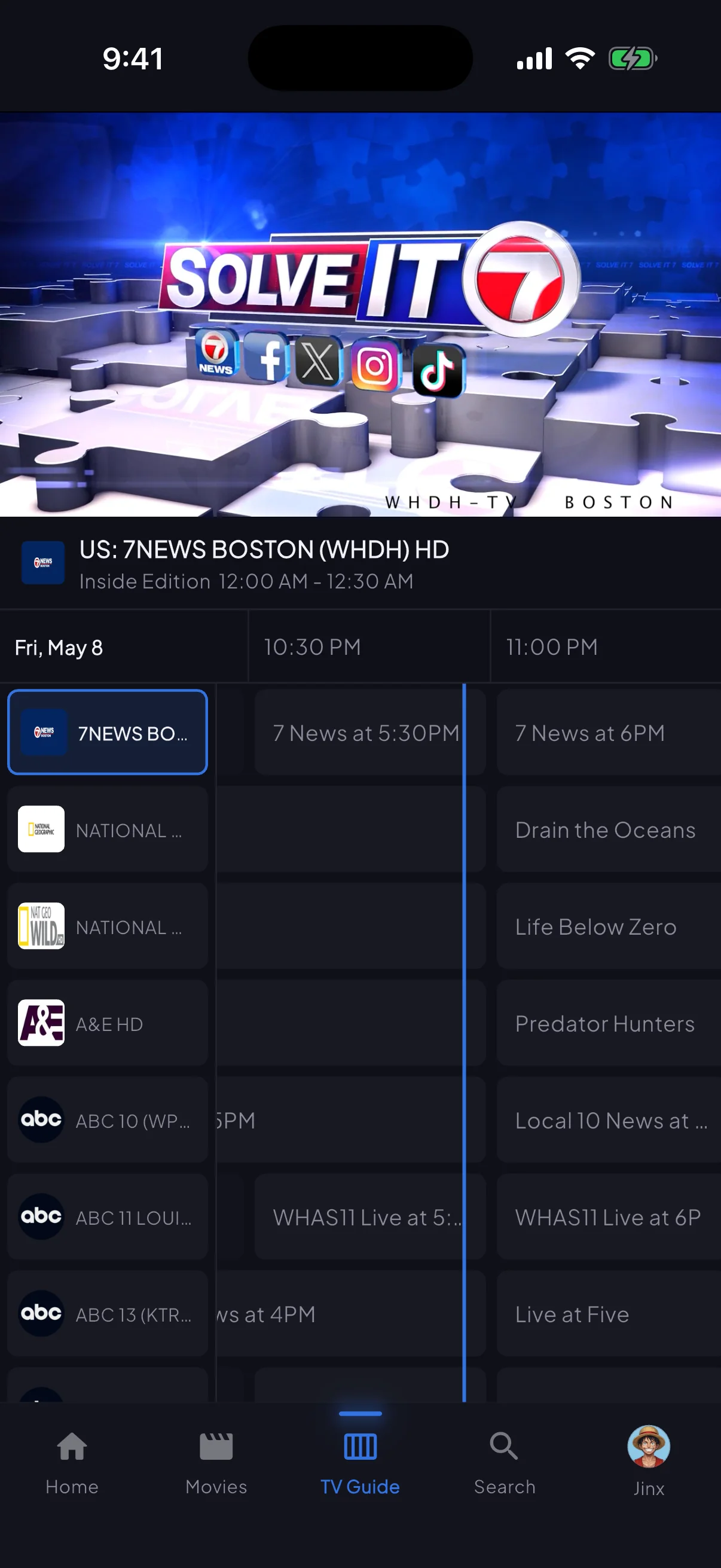
Four screens that cover what most subscribers actually use day-to-day. These are screenshots from the live app — nothing mocked up.
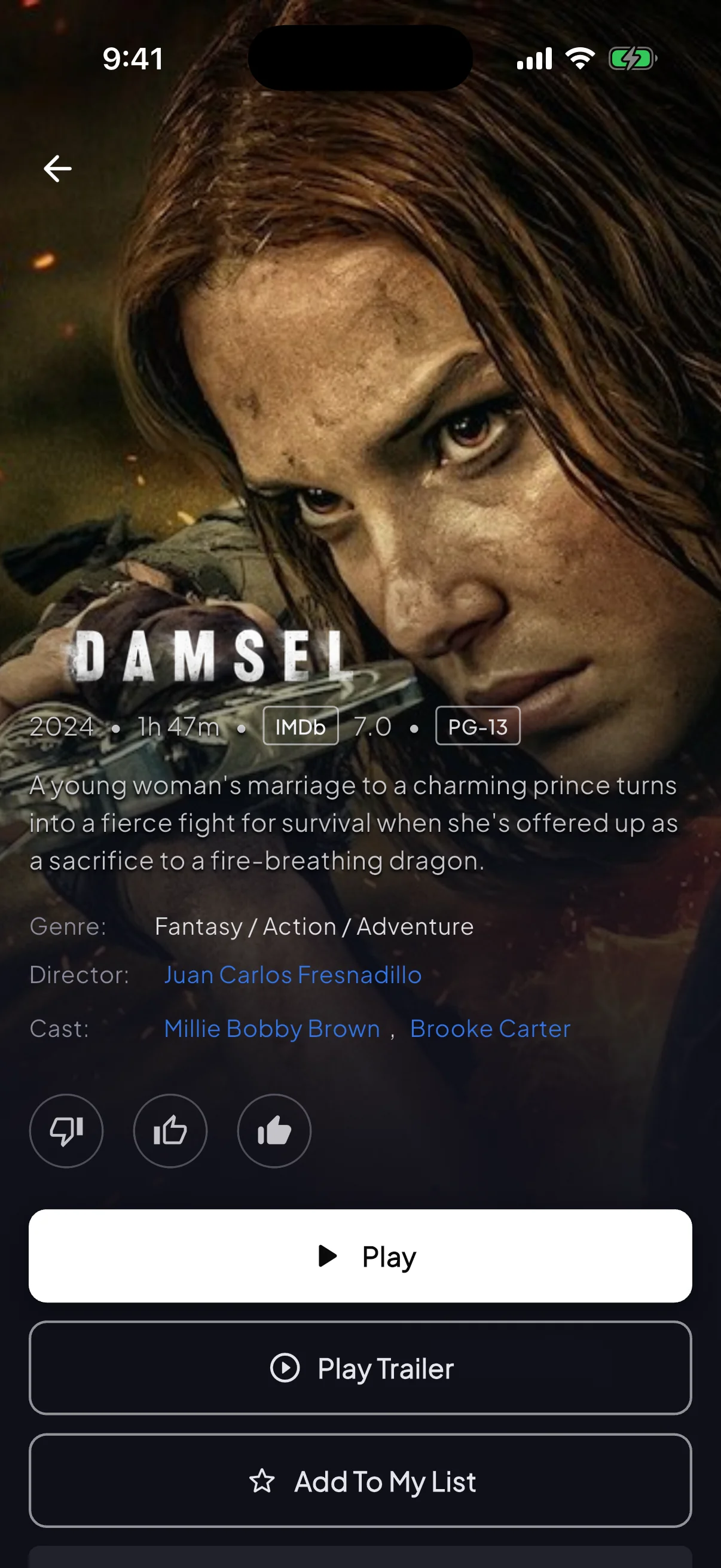
VOD detail pages
TMDB metadata, cast, runtime, related films. So you know what you're about to watch.
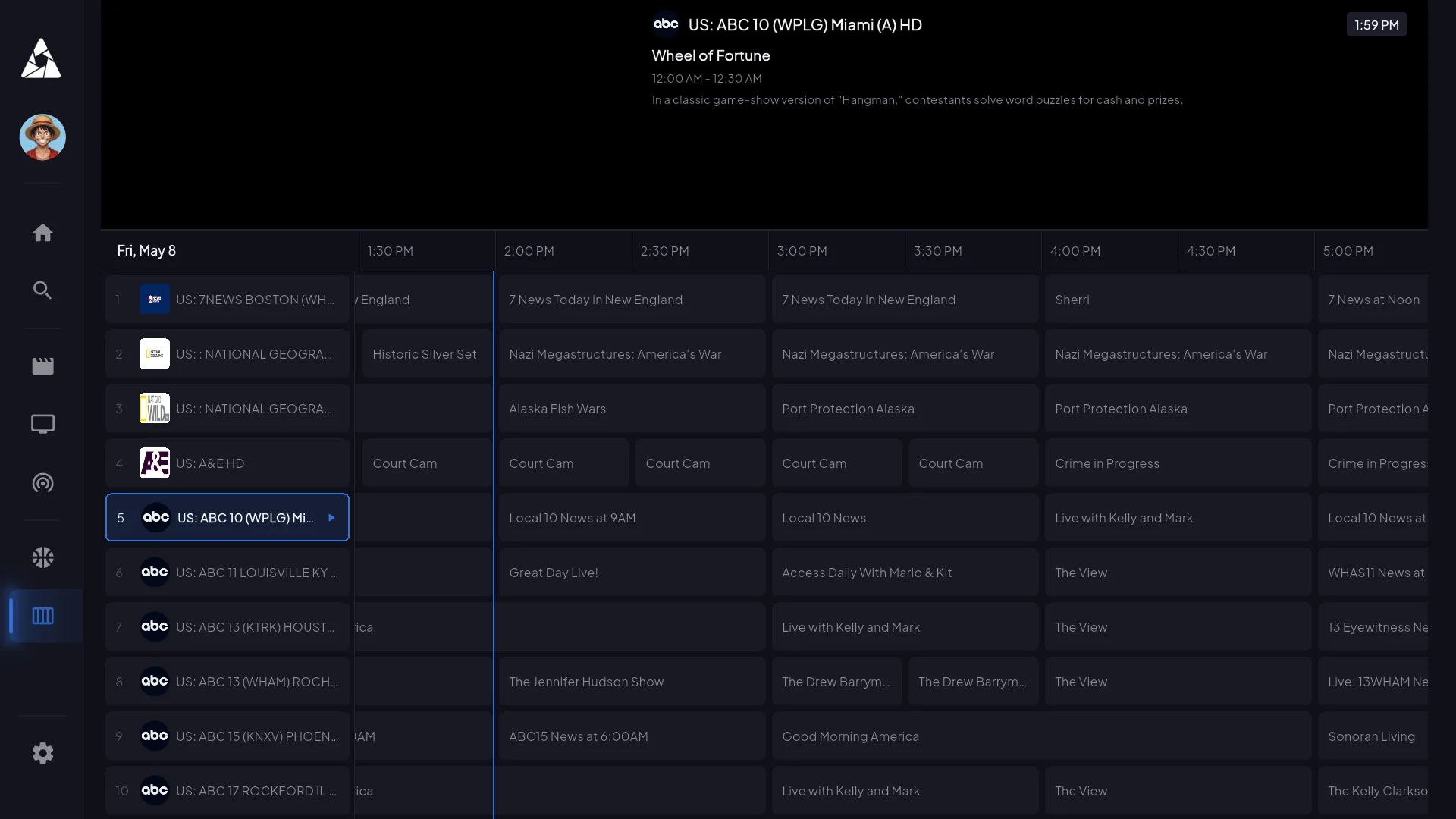
EPG — 7 days of guide data
Filter by category, jump to a specific time slot, set reminders. Loads in 2s on first launch, instant after that.
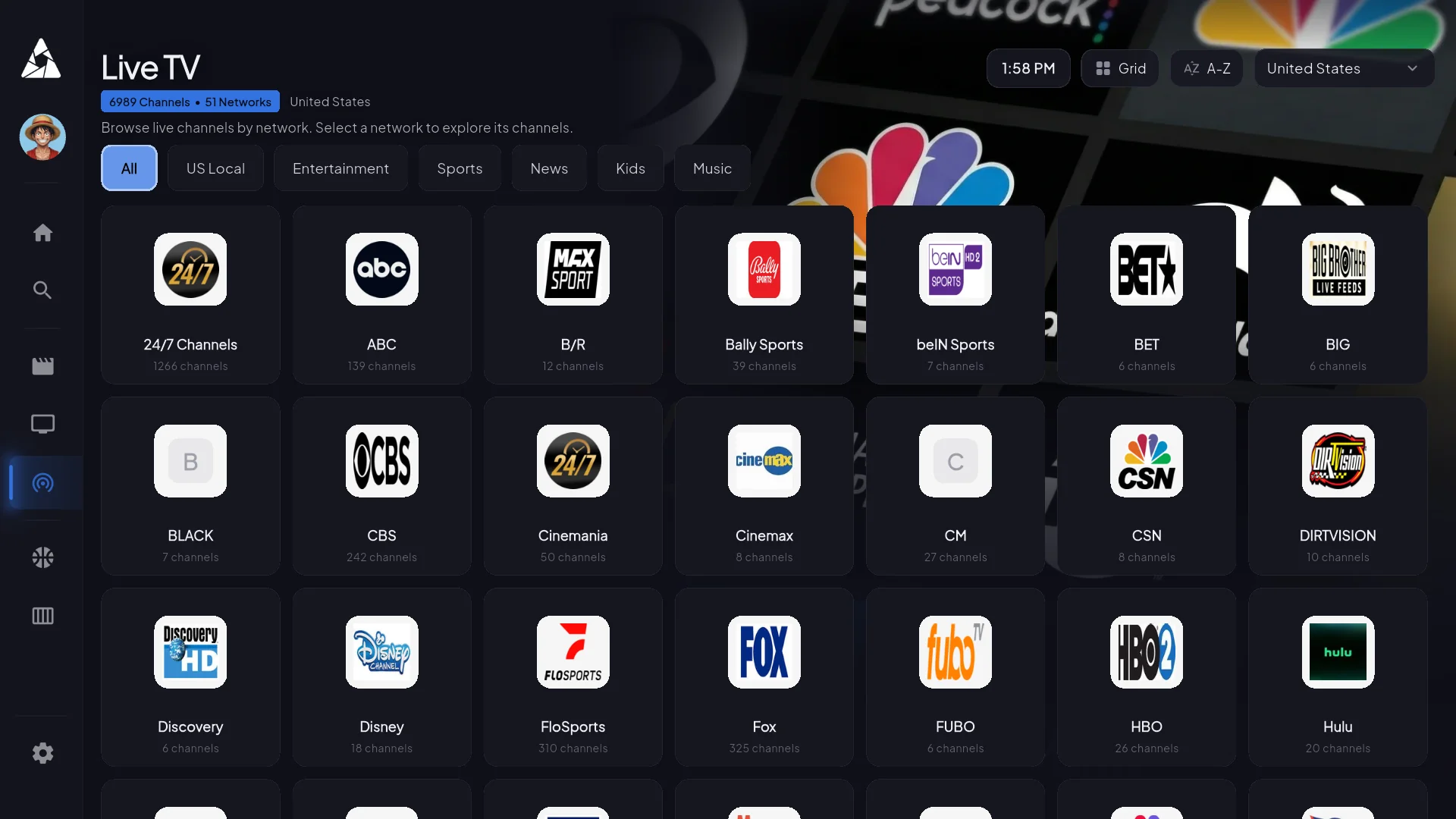
Live channels — 22,000+ feeds
Filter by country, genre, or sport. Scrolls smoothly even at 22k entries — most apps lag here.
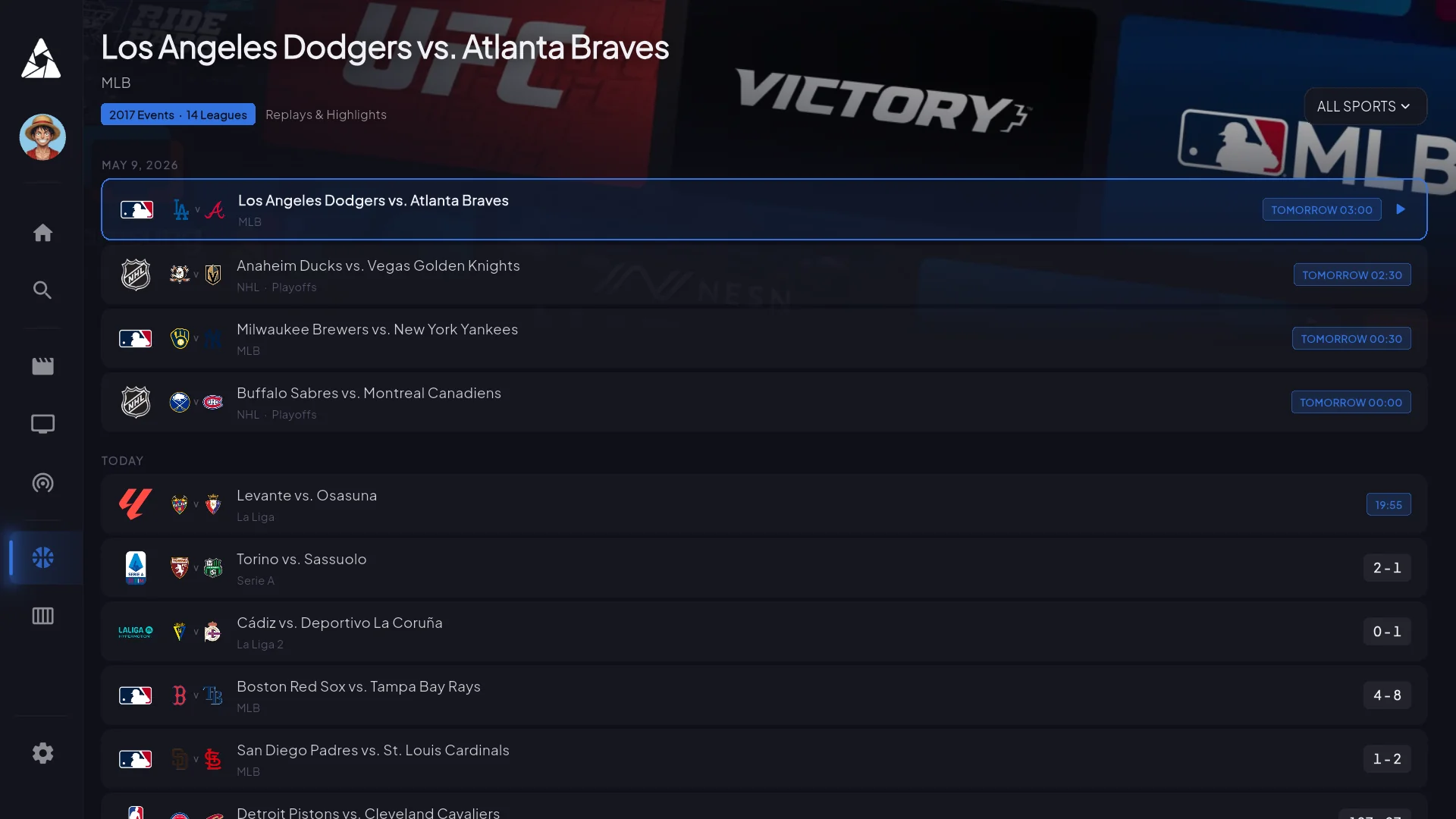
Sports — live first, schedule second
What's on right now, who's playing tonight. Click a match and you land on the channel carrying it — no schedule-guessing.
Install it anywhere
Nine platforms. A few use sideloading or third-party players because the platform owner won’t allow generic IPTV apps in their store — the install guides walk you through each.
Amazon Firestick & Fire TV
Sideload via Downloader (~5 min)
Android TV & Google TV
Direct APK install
Samsung & LG Smart TV
Built-in player + M3U credentials
iPhone & iPad
SmartersPlayer + M3U credentials
Apple TV
TestFlight workaround
Roku
Screen mirror from phone
NVIDIA Shield / Mi Box / Chromecast
Direct APK install
MAG / Formuler / Enigma2
Portal URL + MAC address
Windows / Mac / Linux
VLC or any M3U player
Device you don’t see here? Ask support — we probably support it but didn’t list it.
Requirements
Honest minimums. The app runs on lower specs but it’ll stutter — don’t buy a $25 Firestick Lite expecting smooth 4K.
Internet
Device
Codecs
App questions
For general billing or channel questions, head to the main FAQ. These are the ones specifically about how the app behaves.
The EPG is empty on first launch. Did I break something?
No. The guide downloads in the background the first time you open the app — usually fully populated within 5–10 minutes. Channels still play normally during that window, you just have to know what you want to watch by name. Force-closing and reopening doesn't speed it up.
Does the app cache video for offline playback?
No. It's a live IPTV app — there's nothing to download. The VOD library streams on-demand.
Can the app record live TV?
Catchup TV gives you back the last 3–7 days of programming on most channels. True DVR/PVR is on the roadmap for Android TV — not all platforms will get it because of storage constraints.
Does it support picture-in-picture?
Yes on iOS, iPadOS, and Android (multi-window). Smart TVs and Firestick don't expose a PiP API, so it's not available there.
What internet speed do I actually need?
8 Mbps for stable HD on a single device. 15 Mbps for 4K. 25 Mbps if other people in the house are also streaming. Under 5 Mbps will buffer regardless of plan.
Audio is out of sync. How do I fix it?
Player settings → audio sync, offset by ±200ms. Almost always an HDMI handshake issue, not the stream. If the offset doesn't fix it, try a different audio track.
Can I use a VPN with the app?
Yes — many subscribers do, especially where ISPs throttle streaming. The app doesn't fight VPNs. The one caveat: some broadcasters geo-restrict, so a VPN landing in a country we don't have rights for can hide certain channels.
Pick a plan, install on your first device inside 5 minutes, get credentials within 60 seconds. 7-day refund window if it’s not for you.
Still deciding? Read what 2,800+ subscribers say on the reviews page.